

How to Pay with a Credit Card without a PayPal Account
Can I Pay with a Credit Card without a PayPal Account?
Yes, absolutely! You can use a credit card or debit card to pay online even if you don’t have a PayPal account. We’ll guide you through the steps below to make the process simple and smooth.
Step-by-Step Guide to Paying with Your Credit Card
Step 1: You’ll typically receive an invoice from us, which includes a payment link. If you haven’t received an invoice, please request one from our customer service team.
Step 2: Click the payment link in your invoice. You’ll see details about the specific costs, including product prices, shipping fees, and business information. Review this carefully to ensure all information is accurate. If there are any issues, please contact us before proceeding.
Step 3: Confirm that all details are correct. Click the Pay Now button to enter the payment page.

Accessing the Credit Card Payment Option
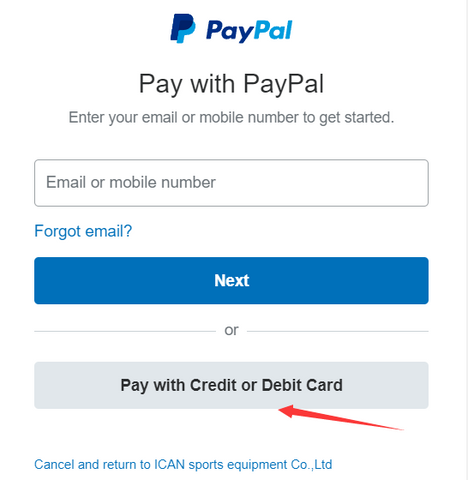
On the next screen, you’ll see the PayPal interface.

No PayPal account is necessary! Simply click Pay with Debit or Credit Card to proceed to the credit card payment screen.
Entering Your Payment Details
Step 5: Enter your credit card information, billing address, and contact details.

Step 6: After entering your information, scroll down and select the No, I don’t want an account now option. Then click Pay Now to complete your payment.
